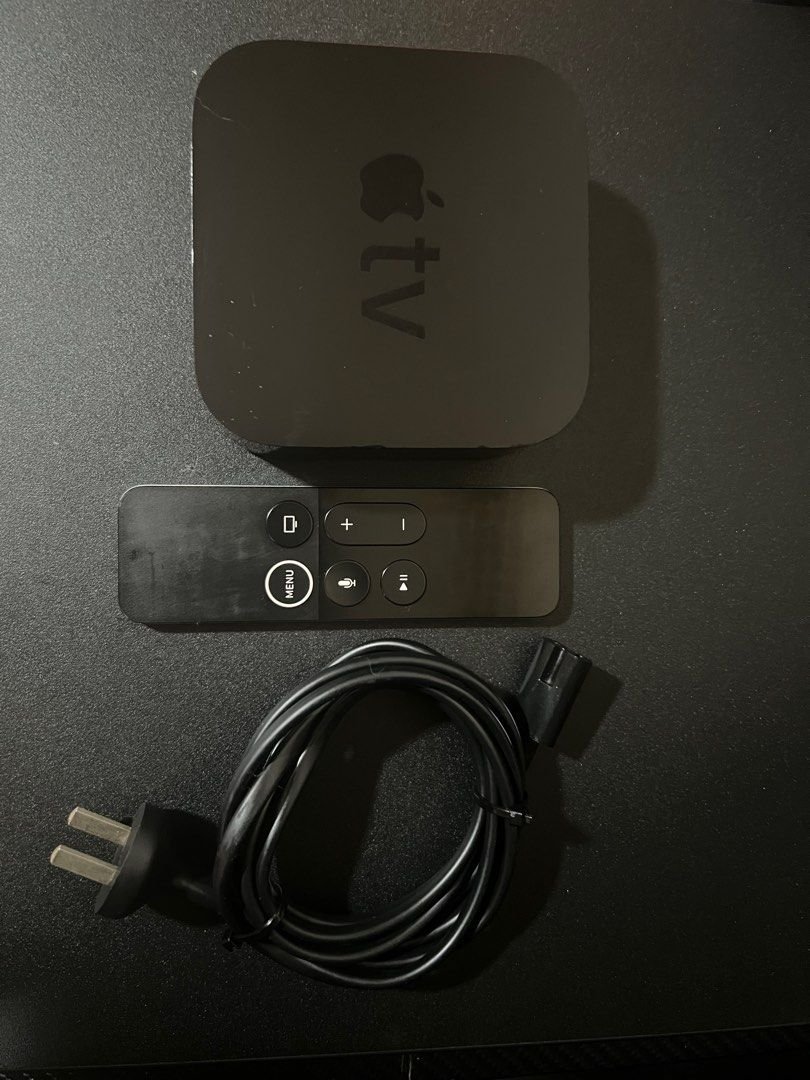
Is your venerable Apple TV 1st Generation still a viable player in today's fast-paced streaming world? For anyone holding onto Apple's original foray into the living room, a pressing question looms: what is the Compatibility of Apple TV 1st Gen with Modern Devices and Services? The answer, while perhaps not what some hope for, is a critical piece of information for managing expectations and making informed decisions about your home entertainment setup.
Let's cut right to the chase: while the Apple TV 1st Gen holds a special place in tech history, its practical compatibility with the devices and streaming services we use daily has largely dwindled. It's a testament to how rapidly technology evolves, making even once-pioneering gadgets feel like relics.
At a Glance: Apple TV 1st Gen in Today's World
- HDMI Connectivity: It does connect via HDMI to modern TVs, but its video output is limited to 720p.
- Video & Audio Quality: Maxes out at 720p resolution; no support for 4K, HDR, or advanced audio formats like Dolby Atmos.
- Streaming Services: Most popular modern streaming apps (Netflix, Hulu, Disney+, Max, etc.) are not supported. Its underlying OS cannot run them.
- iTunes Store: Direct access to the iTunes Store for purchasing/renting content has been discontinued.
- Local Media Playback: Possible for content synced via an older iTunes library on a computer, or potentially via advanced hacks, but not a straightforward modern solution.
- AirPlay: Not supported. AirPlay was introduced with the 2nd Gen Apple TV.
- Siri & HomeKit: Not supported. These features arrived with much later generations.
- App Store (tvOS): No App Store access; it runs a modified version of Mac OS X Tiger, not tvOS.
- Remote Control: Uses its original Apple Remote; no Siri Remote capabilities.
- Overall Recommendation: Primarily a collector's item or a very niche local media player. For modern streaming, an upgrade is essential.
The Original Vision: A Look Back at the Apple TV 1st Gen (2007)
Imagine a world before Netflix apps, before "smart" TVs, and before you could simply ask Siri to play your favorite show. That was the landscape in 2007 when Apple first unveiled the "iTV," soon to be known as the Apple TV. This wasn't just another set-top box; it was Apple's ambitious attempt to bridge the gap between your computer's digital media library and your living room television.
Under the hood, the 1st Gen Apple TV was a fascinating piece of tech. It ran on a Pentium M processor and featured a modified version of Mac OS X Tiger, making it essentially a specialized Mac mini without a screen. It housed an internal hard drive (either 40GB or 160GB) for storing synced content. Initial setup required syncing media from an iTunes library on a Mac or PC. This changed with the "Take 2" update in 2008, which allowed direct access to the iTunes Store for renting and purchasing content, making it a standalone device.
Output-wise, it offered connections via HDMI and component video, supporting resolutions up to 720p. This was cutting-edge for its time, especially the integration of a user-friendly interface designed for the big screen. It was designed to bring your digital movies, TV shows, music, and photos from your iTunes library straight to your TV.
Steve Jobs himself famously called the Apple TV a "hobby," underscoring its experimental nature and Apple's uncertainty about its future. Despite selling over a million units in its first year, the device's true impact wouldn't be fully realized until later iterations evolved into the powerful streaming hubs we know today.
Modern Connectivity Challenges: HDMI and Beyond
While the Apple TV 1st Gen was ahead of its time with HDMI, the world of television connectivity has evolved considerably. Your 1st Gen unit can physically connect to most modern TVs, but don't expect it to unlock your TV's full potential.
Every Apple TV model, from the original to the latest 4K variants, relies on an HDMI port for video and audio output. This means that if your TV has an available HDMI port – which virtually all Smart TVs from brands like Samsung, LG, Sony, and even high-end LED, OLED, 4K, and 8K resolution TVs do – you can physically plug in your 1st Gen Apple TV.
Here’s the catch: Modern TVs are designed for HDMI 2.0, 2.1, and beyond, supporting features like 4K, 8K, HDR (High Dynamic Range), and high refresh rates. The 1st Gen Apple TV, however, operates on an older HDMI standard and outputs a maximum resolution of 720p.
- Resolution Mismatch: When you connect your 1st Gen Apple TV to a 4K or 8K TV, the TV will upscale the 720p signal. While this means you'll see an image, it won't be true 4K or even 1080p, and you'll miss out on the crisp details and vibrancy your modern TV is capable of.
- HDR and Advanced Features: Forget about HDR10, Dolby Vision, or any high dynamic range features. These require newer Apple TV models (4K models specifically) and compatible HDMI 2.0+ ports on your TV.
- Audio Limitations: The 1st Gen Apple TV will output standard stereo audio. While it can use your TV's built-in speakers, it won't support advanced audio formats like Dolby Atmos or DTS:X, which newer Apple TVs can pass through to a compatible sound system via optical or HDMI eARC.
What if your TV is really old?
If you happen to have an older TV without HDMI, the 1st Gen Apple TV's component video output (red, green, blue for video; red, white for audio) was once an option. However, finding a modern TV with component inputs is rare. You could use HDMI converters to adapt the signal, but these often compromise quality further and introduce potential compatibility headaches or signal lag. For most people, if your TV lacks HDMI, you're likely better off considering streaming devices specifically designed for older TV connections, which the 1st Gen Apple TV is not.
Connecting is simple:
- Locate an available HDMI port on your TV.
- Connect one end of the HDMI cable to your Apple TV 1st Gen and the other to the TV’s HDMI port. Note the port number.
- Plug your Apple TV into a power source.
- Use your TV remote to select the correct HDMI input.
- Navigate the Apple TV's on-screen instructions with its remote.
However, the question isn't just can it connect, but what can it do once connected?
Service Discontinuations: A Slow Sunset for the 1st Gen
This is where the compatibility story takes a significant turn for the worse. The primary reason a 1st Gen Apple TV is largely incompatible with modern services is the systematic discontinuation of support for its software and architecture.
As streaming services evolve, they require modern operating systems, updated security protocols, and robust hardware to deliver their content effectively. The modified Mac OS X Tiger on the 1st Gen Apple TV simply cannot keep pace.
- iTunes Store Access: While the "Take 2" update initially allowed direct iTunes Store access, this functionality has since been discontinued for the 1st Gen and even the 2nd and 3rd Generation models. This means you can no longer browse, rent, or purchase movies and TV shows directly from Apple's own store on this device. Any content you might have previously synced from an old iTunes library on a computer might still be playable, but acquiring new content this way is no longer feasible.
- Third-Party Streaming Apps: The Apple TV 1st Gen predates the tvOS App Store entirely. It means there's no way to download or install modern apps like Netflix, Hulu, Disney+, Max, Amazon Prime Video, YouTube, or any of the hundreds of other streaming services prevalent today. Many of these services, including YouTube and Netflix, actively stopped supporting the 1st, 2nd, and 3rd Gen Apple TV models years ago due to technological incompatibilities and security requirements.
- Music and Podcasts: While the device could once access iTunes libraries and podcasts, the infrastructure for these services has also changed dramatically. Direct access to Apple Music or modern podcast directories is not supported.
- Photos: Syncing photos from iCloud Photo Library or using modern photo management apps is out of the question. Any photo viewing would be limited to previously synced local libraries.
In essence, the digital services that were once the device's raison d'être have largely migrated to newer platforms, leaving the 1st Gen stranded without updates or access.
Streaming Content: Where Does the 1st Gen Stand?
Given the widespread service discontinuations, the 1st Gen Apple TV offers almost no pathways to stream modern content from popular providers.
- No tvOS App Store: This is the most significant hurdle. Modern Apple TVs (HD and 4K models) run tvOS, Apple's dedicated operating system for television, which includes a robust App Store. This is where you download virtually all your streaming apps, from Netflix to Peloton. The 1st Gen Apple TV does not have tvOS and therefore has no access to this App Store.
- No Native App Support: Even if a service did have an app for its older OS, the service providers have long ceased supporting them. The underlying technology simply isn't there to process modern video codecs, DRM, and high-quality streams.
- "Local Media" is Complicated: Your only real hope for content on a 1st Gen Apple TV today would be extremely limited:
- Synced Content: Playing media that was already synced from an older iTunes library on a computer, assuming that computer and iTunes library are still functional and accessible.
- Modified Devices: Some users with advanced technical skills might have "jailbroken" or modified their 1st Gen Apple TV to run alternative media center software like XBMC (now Kodi). This could potentially allow it to play local media files from a network share. However, this is a complex, unsupported, and often unstable solution that requires significant technical know-how and offers no guarantee of working with modern network protocols or file types. It certainly won't magically give you access to Netflix.
For all intents and purposes, if you want to stream anything from today's major content providers, the 1st Gen Apple TV is effectively obsolete.
AirPlay, Siri, and HomeKit: Features the 1st Gen Missed
Beyond streaming apps, modern Apple TV devices offer a suite of integrated features that enhance the smart home experience. The 1st Gen, unfortunately, predates all of these.
- AirPlay (Casting and Mirroring): This incredibly useful feature, which allows you to wirelessly stream or mirror content from your iPhone, iPad, or Mac to your TV, was introduced with the 2nd Generation Apple TV in 2010. The 1st Gen Apple TV simply does not have the necessary hardware or software to support AirPlay. This means you cannot "cast" a Netflix show from your iPhone to your 1st Gen Apple TV, as you could with any newer model.
- Siri (Voice Control and Search): The intelligent voice assistant, Siri, made its debut on the Apple TV with the Apple TV HD (4th Generation) in 2015. This transformed the user experience, allowing for voice dictation, universal content search across apps, and quick controls. The 1st Gen is controlled solely by its original physical remote, with no voice input capabilities.
- HomeKit (Smart Home Hub): Apple TV models from the 3rd Generation onward gained the ability to act as a HomeKit hub, enabling remote control of HomeKit accessories, automations, and multi-user support. The 4th Generation and newer models significantly expanded these capabilities. The 1st Gen Apple TV has no integration with Apple's HomeKit ecosystem whatsoever.
These omissions highlight how dramatically the Apple TV's role has expanded beyond simple media playback, leaving the 1st Gen in a completely different category of device.
User Experience: Remote Control and Interface
Comparing the user experience of the 1st Gen Apple TV to its modern counterparts is like comparing a flip phone to a smartphone.
- The Original Remote: The 1st Gen Apple TV came with a sleek, minimalist white remote, characteristic of Apple's design philosophy at the time. It featured basic navigation buttons (up, down, left, right, select, menu, play/pause). While functional for its era, it lacks the sophistication of later remotes.
- No Siri Remote: The Siri Remote, introduced with the Apple TV HD (4th Gen), revolutionized interaction with its glass touchpad, dedicated Siri button, and even motion sensors for gaming. Newer versions further refined the design with a clickable scroll wheel. The 1st Gen has none of this, making navigation feel clunky and outdated by today's standards.
- Outdated Interface: The 1st Gen's user interface, a modified version of the "Front Row" media center software from Mac OS X, was elegant for its time. However, it's a far cry from the modern, vibrant, and highly customizable tvOS interface found on current Apple TVs. tvOS offers dynamic app icons, seamless transitions, and features like the App Switcher and stunning Aerial Screensavers – none of which are present on the 1st Gen.
Accessibility features, which are now robust on tvOS (VoiceOver, Zoom, Siri, wireless keyboard support, customizable closed captioning), are also largely absent or extremely rudimentary on the 1st Gen.
The Verdict: Is the 1st Gen Apple TV Still Useful Today?
In summary, the Apple TV 1st Gen, while a groundbreaking device for its era, is largely incompatible with the modern devices and services that define today's home entertainment landscape.
- Connectivity: It can connect to modern TVs via HDMI, but only at 720p resolution, missing out on 4K, HDR, and advanced audio.
- Content: Its ability to access streaming services, including Apple's own iTunes Store, has been discontinued. It cannot run modern streaming apps, nor does it support AirPlay.
- Smart Home Integration: No Siri, no HomeKit.
- User Experience: Outdated interface and remote control compared to current standards.
What it might still be good for (with extreme caveats): - A Collector's Item: For tech enthusiasts or Apple history buffs, it's a neat piece of hardware to own and display, representing a significant moment in Apple's product evolution. You can Learn about the original Apple TV and its place in computing history.
- Local Media (Highly Technical): If you're a skilled tinkerer, you might be able to modify it to play local media files stored on a network, but this is an unsupported and complex endeavor. It's not a plug-and-play solution.
- Nostalgia: For those who remember its initial glory, firing it up might evoke a sense of nostalgia, but not much practical utility.
For anyone seeking a functional streaming device for 2024 and beyond, the 1st Gen Apple TV simply doesn't fit the bill.
Considering an Upgrade? Understanding Modern Apple TV Models
If the limitations of the 1st Gen have become clear, you're likely thinking about what a modern Apple TV can offer. The current lineup, primarily the Apple TV HD and Apple TV 4K models, represents a monumental leap in functionality.
Apple TV HD (4th Generation, 2015):
- tvOS and App Store: The first model to introduce tvOS, providing access to a vast App Store for all your favorite streaming services, games, and utility apps.
- Resolution: Supports up to 1080p (Full HD).
- Siri Remote: Came with the innovative Siri Remote, enabling voice control and a touch surface for navigation.
- HomeKit Hub: Functions as a HomeKit hub.
- AirPlay: Fully supports AirPlay from iOS devices and Macs.
Apple TV 4K (Multiple Generations: 2017, 2021, 2022):
These are the powerhouses of Apple's streaming lineup, offering the pinnacle of home entertainment integration. - 4K Resolution & HDR: Supports 2160p (4K) output, HDR10, HDR10+, and Dolby Vision for stunning picture quality, provided you have a compatible TV and content.
- Advanced Audio: Capable of passing through Dolby Atmos and DTS:X audio to a compatible sound system.
- Powerful Chips: Equipped with A10X, A12 Bionic, or A15 Bionic chips, ensuring smooth performance, high frame rate HDR, and robust gaming capabilities.
- Latest Connectivity: Features HDMI 2.1 (on newer 4K models), Wi-Fi 6, Thread radio (for smart home), and ARC/eARC support for simplified audio setups.
- Color Calibration: Newer 4K models allow for color optimization using your iPhone's ambient light sensor for precise picture tuning.
- Siri Remote Redesign: The 2021 4K model introduced a redesigned Siri Remote with a USB-C charging port and an improved scroll wheel.
- Storage & Ethernet: Available in configurations with up to 128GB of storage, with options for Wi-Fi only or Wi-Fi + Ethernet for more reliable wired connections.
Upgrading to an Apple TV HD or, preferably, an Apple TV 4K model will instantly provide you with access to virtually all modern streaming services, a responsive user interface, seamless AirPlay, Siri voice control, and robust smart home integration – features the 1st Gen simply cannot offer.
What to Do With Your Vintage Apple TV 1st Gen
So, what should you do with that piece of Apple history sitting in your media cabinet?
- Display It: As mentioned, it's a significant device in Apple's evolution. It makes for an interesting display piece for tech aficionados.
- Repurpose for Niche Uses (Advanced Users Only): If you have the technical skills, you might explore installing alternative open-source media software. This is not for the faint of heart, is unsupported by Apple, and may have limited long-term viability, but it could theoretically turn it into a dedicated local media player for specific file types.
- Recycle Responsibly: If it no longer serves any purpose for you, the most environmentally conscious choice is to recycle it. Apple has robust recycling programs for its older devices. Check Apple's official website or local electronics recycling centers for details. Do not simply throw it in the trash.
- Donate: While its utility is limited, some educational or non-profit organizations focused on technology history might appreciate it.
- Sell to a Collector: There's a niche market for vintage Apple hardware. You might find a collector willing to purchase it.
Ultimately, clinging to the 1st Gen Apple TV for modern streaming needs will lead to frustration. Its time as a primary entertainment hub has passed.
Common Questions About Old Apple TVs
Let's address some frequently asked questions about maintaining or upgrading from older Apple TV models.
Q: Can I jailbreak my 1st Gen Apple TV to install modern apps like Netflix or Disney+?
A: No. While it was possible to "jailbreak" or modify the 1st Gen Apple TV in the past to install alternative media center software (like XBMC/Kodi) for local media playback, this does not enable it to run modern streaming apps like Netflix or Disney+. Those apps require modern operating systems (tvOS) and hardware that the 1st Gen simply doesn't possess. The software architecture is fundamentally different.
Q: Can I use my 1st Gen Apple TV as a media server for my network?
A: Not in the way a modern NAS (Network Attached Storage) or dedicated media server works. It has an internal hard drive, but it's designed to sync from an iTunes library, not to act as a general-purpose file server. Highly technical users might find ways to hack its OS to share files, but it's not its intended function and would be an inefficient, unsupported solution.
Q: Is it worth repairing a broken 1st Gen Apple TV?
A: For practical use, almost certainly not. The cost and effort of sourcing parts and labor for a device with such limited modern functionality would far outweigh the benefits. Repairing it might only be justifiable for a collector attempting a full restoration.
Q: My TV is old and doesn't have an HDMI port. Can the 1st Gen Apple TV work with it?
A: The 1st Gen Apple TV does have component video output, which uses three RCA jacks for video (red, green, blue) and two for audio (red, white). If your very old TV has these specific component inputs, it could technically connect. However, finding such inputs on TVs is rare now, and the video quality will be limited to 720p. You're generally better off considering a modern, inexpensive streaming stick that offers composite or component output options, as the Apple TV 1st Gen is too outdated for most purposes.
Q: What's the biggest benefit of upgrading from an old Apple TV to a new one?
A: The most significant benefit is immediate access to the entire tvOS App Store, allowing you to download and stream from virtually any modern service (Netflix, Disney+, YouTube, Hulu, Max, etc.). Additionally, you gain 4K/HDR video (with Apple TV 4K), advanced audio (Dolby Atmos), AirPlay, Siri voice control, and seamless integration with Apple's ecosystem including HomeKit. The user experience is vastly superior.
Making the Right Choice for Your Entertainment Needs
The journey of the Apple TV, from its "hobby" origins to its current status as a premium streaming device, is a fascinating case study in technological evolution. While the 1st Gen Apple TV once represented the future of home media, it has long since been surpassed by advancements in processing power, operating systems, connectivity, and streaming service demands.
If you've been clinging to your Apple TV 1st Gen, hoping to squeeze some modern utility out of it, it's time to acknowledge its place as a historical artifact. For a truly compatible, reliable, and enjoyable modern streaming experience, upgrading to an Apple TV HD or, ideally, one of the Apple TV 4K models is the clear path forward. You'll gain access to a world of content, superior picture and sound quality, and a user experience that genuinely enhances your living room. Embrace the future, and let your 1st Gen Apple TV rest proudly in the annals of tech history.